
Usage
aorisage is meant to sit on a BGM track and take care of the "raise it, hold it, fade it" move before a show or during a transition.
Start with the default flow
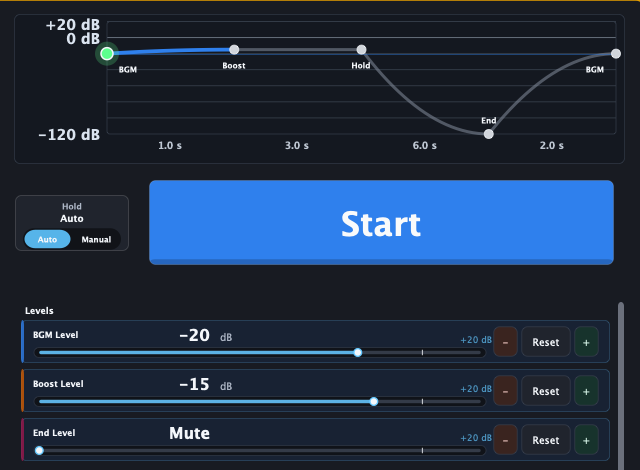
- Insert aorisage on the DAW track that plays BGM.
- Set BGM Level to your normal pre-show level.
- Set Boost Level to the level that lifts the room.
- Set Fade Out Time to match the cue.
- Press Start and confirm the whole move.
You do not need a perfect preset first. Match the level difference and the fade-out time, then refine the rest after you hear it in context.
Hold Mode
Hold Mode decides when aorisage moves from Boost Level to Fade Out.
Auto
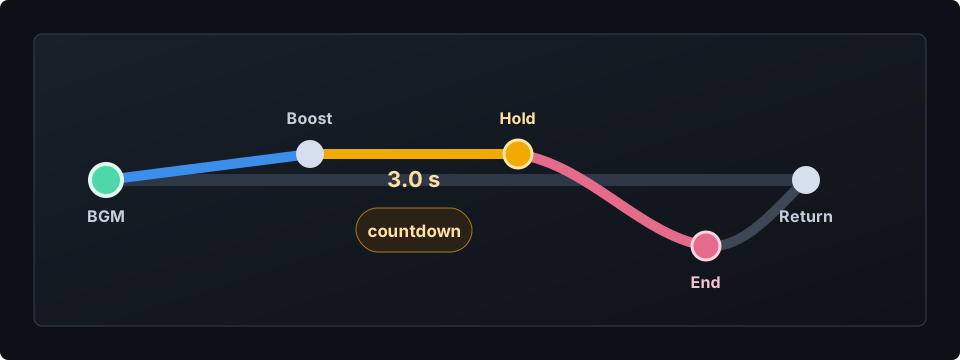
Waits for the configured Hold Time, then starts Fade Out automatically. Use it when the cue is predictable and the same timing works every time.
Manual
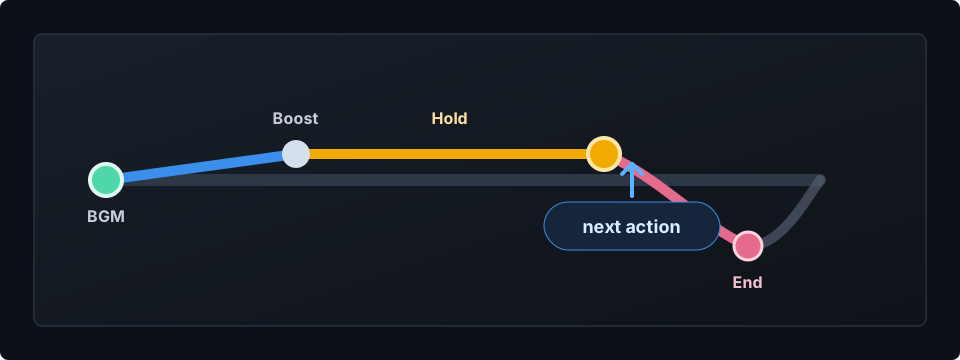
Keeps Boost Level until you trigger the next step. Use it when you want to watch the room, wait for performers, or follow a lighting or MC cue. Choose Fade Out Time first, then decide the fade-out start manually.
Sustain-pedal workflow
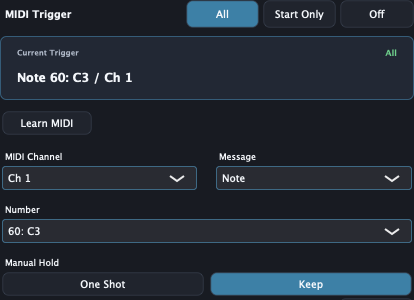
A MIDI foot pedal can be useful when your hands are busy. aorisage receives MIDI input for MIDI Trigger.
- Set Hold Mode to Manual.
- Open Preferences and set MIDI Trigger to All.
- Press Learn MIDI and send the pedal Note or CC.
- Set Manual Hold to Keep.
- Press the pedal to start Boost / Hold.
- Release the pedal to start Fade Out.
For CC input, values 64 and above are treated as press, and values 63 and below are treated as release. Note On with velocity 0 is treated as Note Off.
Use Start Only when you only want MIDI to start from BGM On. Start Only ignores release edges and does not use MIDI to return from Fade Out Complete to BGM.
Intermission and return
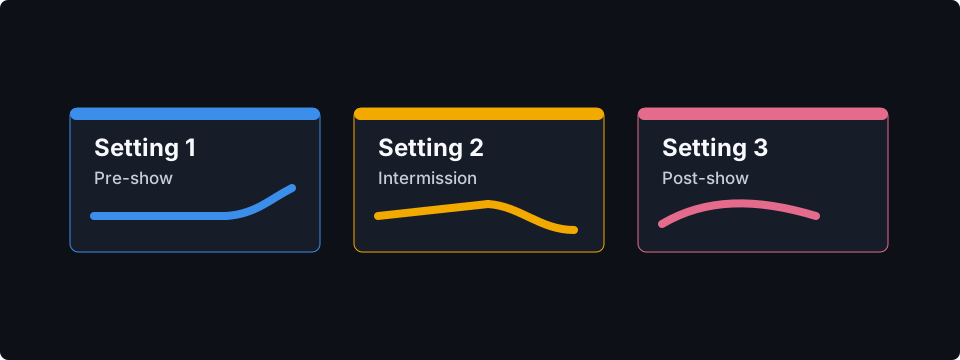
Use separate Settings for different moments.
- Setting 1: pre-show, longer lift, slower fade out
- Setting 2: intermission return, shorter lift, quicker fade out
- Setting 3: post-show, focused on returning BGM smoothly
Name and color the Settings so they are easy to recognize.
It is intentionally small

aorisage does not replace the mixer or the DAW. It repeats one fader-like move in a controlled way, so you have one less thing to watch during the cue.